How to Get Your Own Branded Discord Bot (Your Name, Your Avatar) — No Code
Most Discord bots look identical in every server. Here is how to run a bot that carries YOUR name, avatar and brand — per server or fully dedicated — without writing a line of code, starting free.
Open almost any Discord server and you will meet the same handful of bots, all wearing the same name and the same avatar. For a creator building a community around their own brand, that is a missed opportunity. Your bot can carry your name, your avatar, even your banner — and you do not need to code to make it happen.
What "branded" actually means
A branded bot wears your identity instead of the platform's. Depending on how far you want to go, that can mean:
- Nickname — the bot shows your community's name instead of a generic one.
- Avatar — your logo or character, not a stock bot icon.
- Banner & bio — your profile art and description on the bot's card.
- A fully dedicated bot — a separate application with its own name and avatar everywhere it appears, so members never see the platform brand at all.
Two ways to brand a Discord bot
1. Per-server branding (shared bot — the cheapest path)
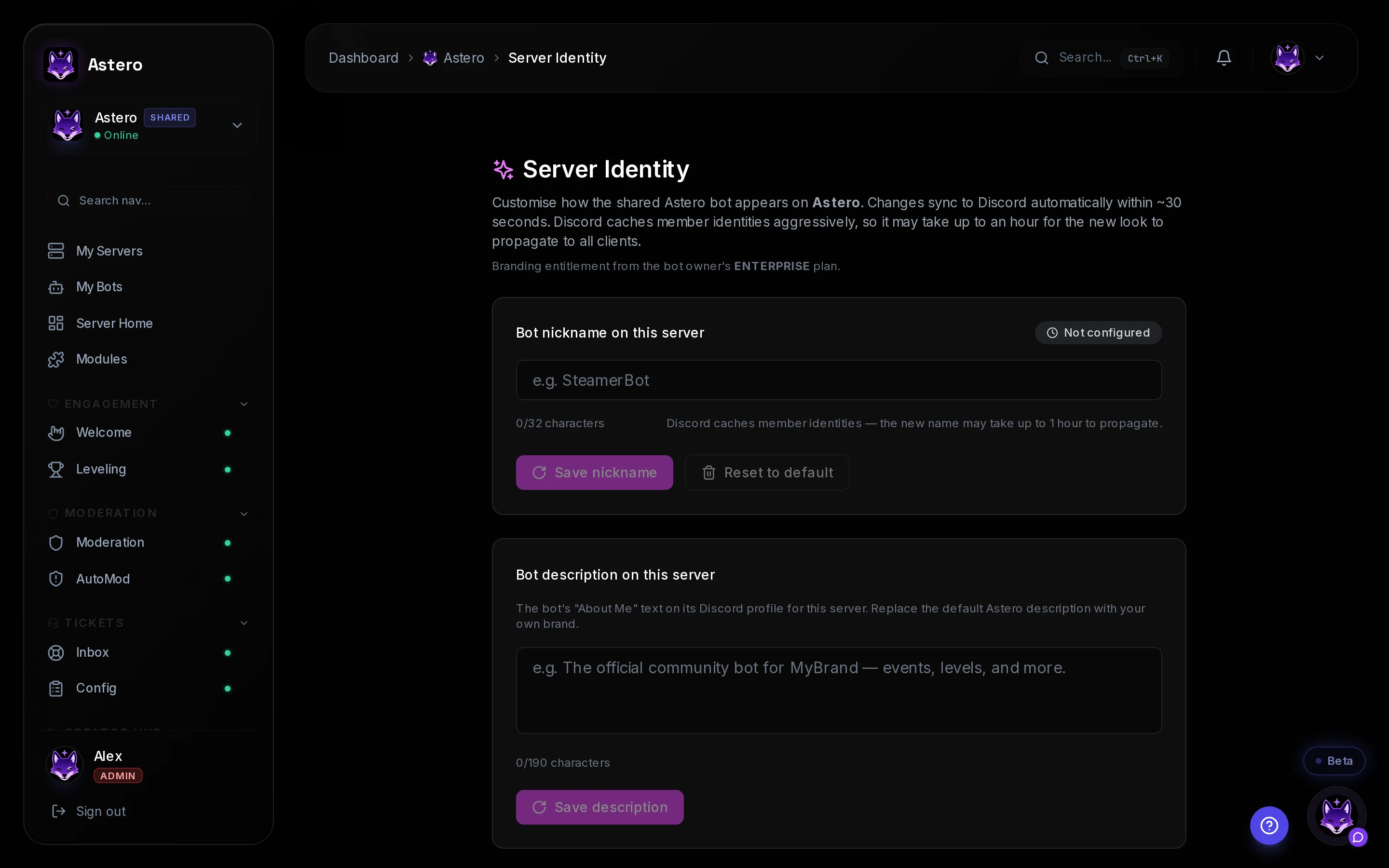
You use a shared bot, but in your server it takes on your nickname, avatar, banner and bio. It is the fastest, cheapest way to look custom — no separate application to create. This is the approach incumbents like MEE6 cannot fully match (nickname only, via a webhook trick), and it starts at €5.99/month on Astero.
2. A fully dedicated bot (your own application)
Here the bot is a separate Discord application with its own name and avatar in every server it joins — a true white-label bot members would never recognise as a shared platform. On Astero this is the Creator Edition at €11.99/month, and you still configure everything from a dashboard.
Do you need to write code? No.
Neither path requires programming. You sign in with Discord, pick a name and upload an avatar (and a banner if you like), and save. For a dedicated bot you paste a token once — Discord generates it for you in a couple of clicks. Everything else is point-and-click from the dashboard.
| Option | What members see | Best for | Price |
|---|---|---|---|
| Free (shared bot) | The platform name & avatar | Trying it out | €0 |
| Per-server branding | Your nickname, avatar, banner & bio | One community on a budget | from €5.99/mo |
| Dedicated bot | Your name & avatar everywhere | A true own-brand bot | €11.99/mo |
The detail that matters: a branded bot is only useful if it actually does something. Astero ships the creator toolkit ready out of the box — stream notifications on Twitch, YouTube, Kick and Rumble, AI moderation, tickets and leveling — all under your brand. With a bare bot builder you would assemble each of those yourself.
Setting it up in minutes
- Sign in with your Discord account — no password to create.
- Add the bot to your server (or create a dedicated one on the Creator Edition).
- Open Server Identity and set the nickname, avatar, banner and bio.
- Hit save — the bot updates in your server right away.
- Turn on the modules you want (stream alerts, moderation, tickets…) from the dashboard.
Branded bot vs. a bot builder
Tools like BotGhost give you a blank visual builder: powerful, but you assemble every command and feature yourself. Astero gives you a branded bot **with** the creator features already working, so your time goes into your community instead of rebuilding moderation from scratch. See the full Astero vs BotGhost comparison.
You can start free on the shared bot, brand it per server for the price of a coffee, and move to a fully dedicated bot whenever your community grows. Your Discord, your bot, your brand.