Stream notifications on Discord: the complete setup guide (Twitch, YouTube, Kick & Rumble)
Every way to post go-live alerts in Discord — native integrations, DIY webhooks, and bots — platform by platform, plus why sub-30-second delivery matters and how to measure it.
Every streamer knows the moment: you go live, and the first two minutes decide whether the algorithm sees an empty room or a ramp. Discord is your highest-intent audience — people who already chose to join your server — so the go-live ping there is the single most valuable notification you send. This guide covers every way to set one up on Twitch, YouTube, Kick and Rumble: Discord's native options, DIY webhooks, and bots, with the honest trade-offs of each.
Why delivery speed matters more than the embed
A go-live alert is a perishable good. Recommendation systems weigh early concurrent viewership, and the people who click a Discord ping immediately are exactly the viewers who lift the stream while it is being ranked. A notification that lands five minutes late converts a fraction of one that lands in twenty seconds.
So when you evaluate any setup, ask one question first: what is the typical delay between "stream starts" and "message appears in Discord"? Under 30 seconds is good. A few minutes — common with naive polling setups — quietly costs you growth on every single stream. We come back to how to measure this at the end.
Option 1 — Discord's native integrations (and their limits)
Discord ships built-in Twitch and YouTube integrations (Server Settings → Integrations). They are genuinely useful for one thing: role syncing. Twitch subscribers or YouTube channel members get a Discord role automatically. Keep them enabled for sub perks.
What they do not do is post a go-live announcement to a channel. The purple "Live" badge on your profile only helps people who happen to be looking at the member list. For an actual announcement message in your #stream-alerts channel, you need a webhook or a bot.
Option 2 — DIY webhooks (for the technically inclined)
If you run your own infrastructure, every platform can be wired manually. The short version of what each one requires:
Twitch — EventSub
Twitch's EventSub sends a stream.online event to an HTTPS endpoint you host. You verify the signature, then forward a formatted message to a Discord webhook URL. It is the cleanest API of the four — but you are now hosting, monitoring and patching a small web service forever.
YouTube — WebSub feed pushes
YouTube supports WebSub (PubSubHubbub) pushes on a channel's video feed. The catch: the push fires for new videos, and telling "went live" apart from "uploaded a video" takes extra API calls. Many DIY setups fall back to polling the API instead — which is where multi-minute delays creep in, and the API quota is finite.
Kick — official API
Kick shipped an official public API with OAuth fairly recently; before that, everything was scraping. A DIY setup authenticates with an app token and watches channel livestream state. Few off-the-shelf tools use the official API yet — worth checking before you trust one with your launch.
Rumble — RSS only
Rumble exposes no public events API. The workable approach is polling the channel's RSS feed and detecting new live entries. It works, but polling frequency is the whole game: a 5-minute poll loop means an average delay of two and a half minutes.
DIY is a fine weekend project. It is less fine the third time Twitch rotates a requirement or your VPS reboots during your launch stream. That is the actual product a notification bot sells: someone else carries the pager.
Option 3 — bots (the practical default)
Three realistic candidates, honestly compared:
- **Streamcord** — the specialist. Simple Twitch and YouTube alerts, $2.99/mo Pro. No Kick or Rumble, caps on the free tier, and no community features around the alert. If you only need Twitch, it is a fair pick — see Astero vs Streamcord.
- **MEE6** — Twitch and YouTube alerts inside the big generalist bot. It works, but customization sits behind Premium at $11.95/mo per server, and there is no Kick or Rumble. Comparison: Astero vs MEE6.
- Astero — go-live alerts on all four platforms (plus Reddit and RSS feeds) with branded embeds, included on every plan — including free. The walkthrough below uses it.
Notably absent: Carl-bot and Dyno ship no stream alerts at all (Astero vs Dyno) — if they handle your moderation, pair them with one of the bots above.
Platform-by-platform setup (Astero walkthrough)
All four platforms follow the same pattern and take about two minutes each. You need a free account at astero.gg with the bot added to your server — the getting started guide covers that part.
Twitch
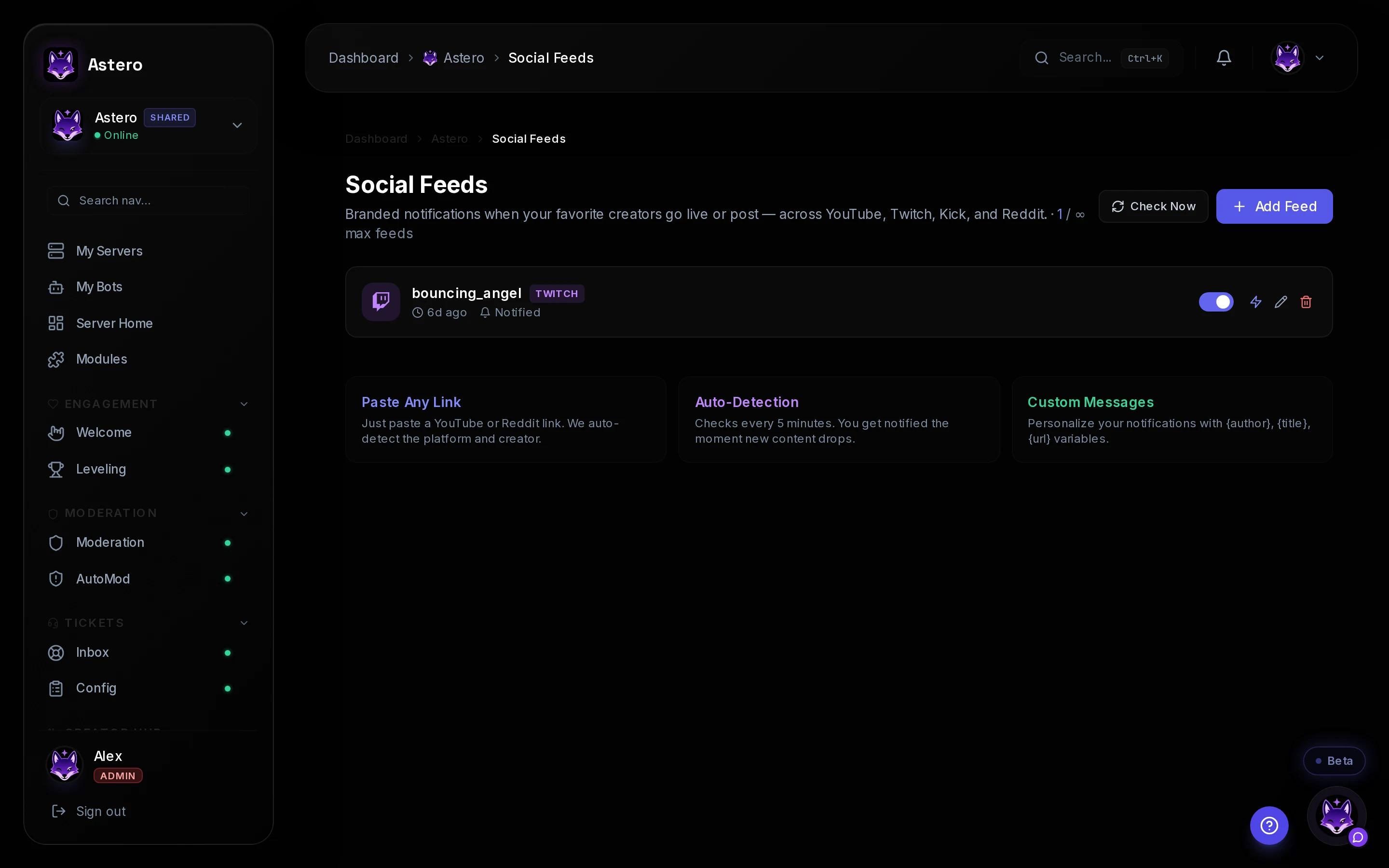
- Open Dashboard → your server → Social Feeds and click Add feed → Twitch.
- Enter your Twitch channel name — no URL needed.
- Pick the Discord channel for announcements and, optionally, a role to mention. An opt-in
@Stream Pingrole converts better long-term than@everyone. - Customize the message template (stream title, game, link), save — the alert fires the next time you go live.
YouTube
- Add feed → YouTube, then paste your channel URL or handle.
- Choose the announcement channel and mention role, adjust the template, save.
- Tip: if you also want upload announcements with a different message, add your channel's RSS feed as a second feed with its own template.
Kick
- Add feed → Kick and enter your Kick username.
- Astero talks to Kick's official API (OAuth) rather than scraping — which matters for reliability as Kick keeps evolving.
- Pick the channel and role, save.
Rumble
- Add feed → Rumble and enter your channel slug — the part after
rumble.com/c/. - Because Rumble has no events API, alerts come from monitoring the channel feed; Astero handles that polling for you.
- Pick the channel and role, save.
Make the alert feel like yours
Two finishing touches worth the extra minute. First, set the bot's per-server identity — nickname, avatar, banner, bio — so the announcement comes from your brand instead of a third-party one (included from the €5.99 Stream Hub plan; see the branding docs). Second, create a self-assignable "Stream Ping" role via reaction roles so mentions stay opt-in.
How to verify your setup is actually fast
Do not trust marketing pages — including ours. The test is free: start a short unlisted stream, start a stopwatch, stop it when the Discord message lands. Do it three times across different days; the worst number is the one your viewers experience.
Astero's own benchmark for this is public: the status page publishes the measured 95th-percentile delivery time over the last 7 days, straight from production, against an internal target of under 30 seconds. If another vendor will not show you their number, measure it yourself before you commit your launch night to it.
Frequently asked questions
Do I need a paid plan for stream alerts?
On Astero, no: all four platforms are included on the free plan, for up to 3 servers. Paid plans add per-server bot branding (Stream Hub, €5.99/mo) and a fully dedicated bot under your name (Creator Edition, €11.99/mo, up to 20 servers) — see pricing.
Can I announce in multiple Discord servers at once?
Yes — add the same Twitch, YouTube, Kick or Rumble feed in each server you run, each with its own channel and template. Astero plans are priced per pool of servers (3 free, 10 on Stream Hub, 20 on Creator Edition), so announcing in more places does not multiply your bill.
What about subs, follows and raids?
Go-live is half the story. Astero's integrations hub can also announce Twitch subscriptions, follows and raids in Discord with one-click setup — see the integrations docs.